The art of troubleshooting in Kubernetes clusters can be much simpler if your terminal helps you!

SRE/Kubernetes Admin
Marcelo Melo

The maintenance and operation of Kubernetes clusters can be a challenging job, especially when it comes to troubleshooting and quickly obtaining the necessary information. kubectl, the command-line tool for Kubernetes, offers a variety of options to make this task easier. Among these, the -o=custom-columns parameter stands out, allowing you to customize the command output to view specific information in columns. To further increase efficiency, creating aliases (shortcuts) for frequent commands can save valuable time. In this article, we will cover the advantages of customizing aliases in kubectl and provide some practical examples.
Advantages of Customizing Aliases
Agility and Efficiency: By using aliases, you reduce the time spent typing long and complex commands. This is especially useful in emergencies where every second counts.
Consistency: Aliases ensure that you and your team use standardized commands, reducing the chance of errors and inconsistencies.
Ease of Use: Customizing the output of commands with
-o=custom-columnsmakes reading information more intuitive and focused on the data that truly matters.Reduction of command memorization: trying to remember all parameters is almost impossible, especially during that late-night shift when your head is not at 100%.
Examples of Aliases for kubectl
We created some useful aliases that customize the output of kubectl commands to facilitate troubleshooting and analysis. It is worth noting that it is up to the user to define the shortcut name for each command. The tip is to make it something intuitive, easy to remember, and that does not conflict with any other command on your machine. In my case, I always use the shortcut starting with k3m (k for kubernetes and 3m because my full name has the initials with the letter m). If it were for Docker, it would start with d3m. Feel free to create your own pattern. If you want full access to my shortcuts, check them out on Github.
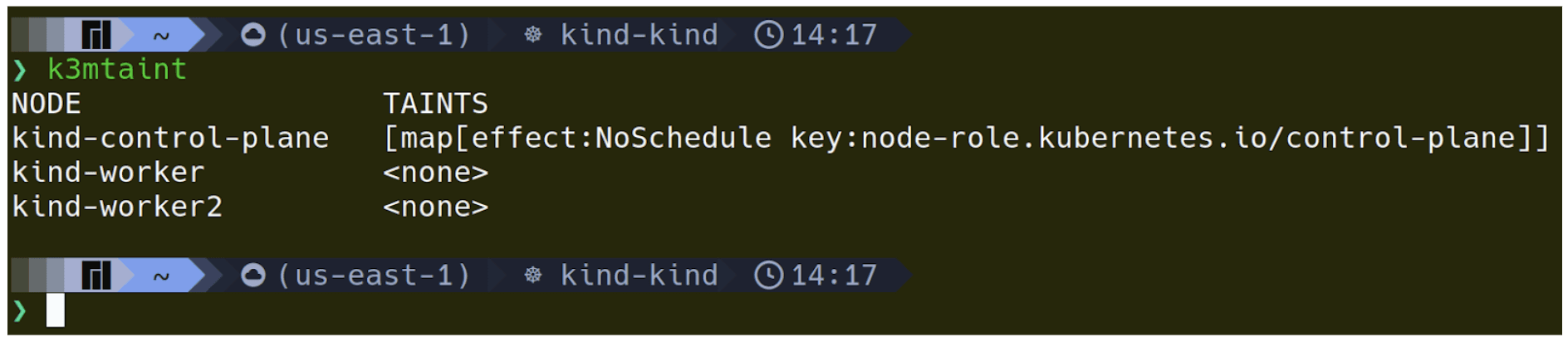
1 - List the cluster nodes with their respective Taints:
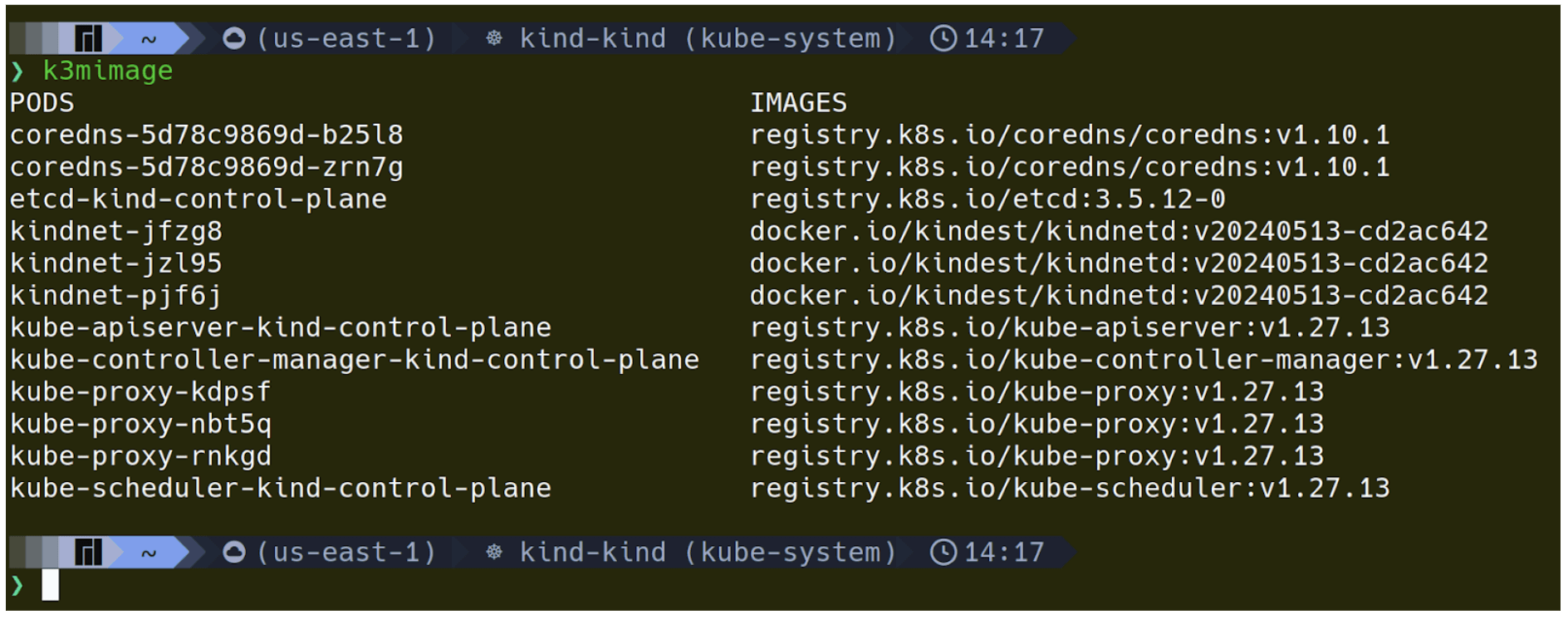
2 - List the Pod images in the current namespace:
3 - List the Pod resources in the current namespace:
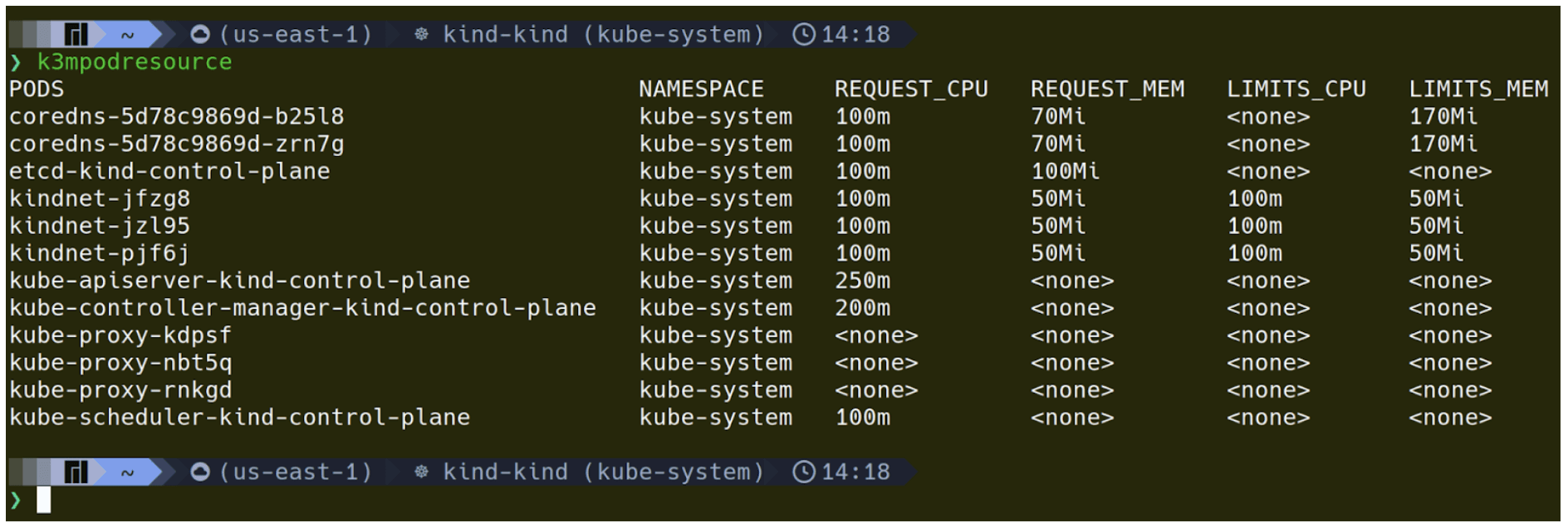
The columns can be seen more easily like this:
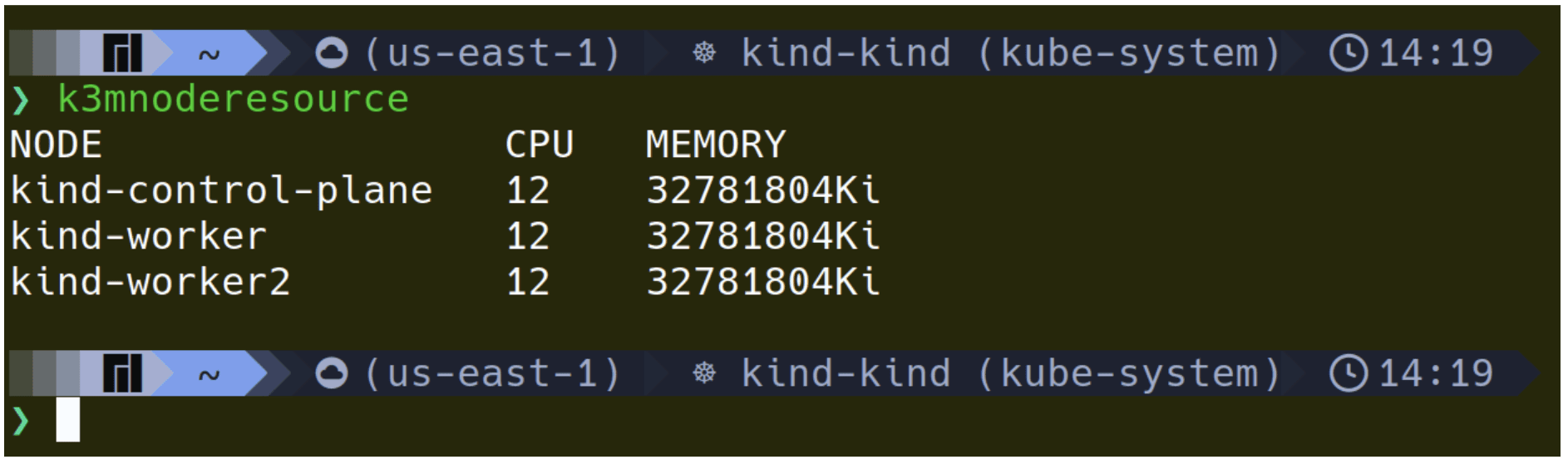
4 - List the available node resources:
Implementing Aliases permanently
To make these aliases permanent, you can add them to your shell profile file, such as ~/.bashrc or ~/.zshrc. Just open the file and add the aliases at the end.
After saving the file, refresh the shell profile with the command source ~/.bashrc or source ~/.zshrc depending on your shell.

Alternatives
Some existing projects already implement this technique. Among them, the following stand out:
Kubectl Aliases - https://github.com/ahmetb/kubectl-aliases
Implements a list of pre-defined aliases, such as kgpo (kubectl get pod). The positive aspect is that it has become quite widespread, making its logic very easy to understand. Additionally, aliases can be auto-completed using TAB. The downside is that there are many possible aliases, and only those pre-defined can be used out-of-the-box.
Autokube - https://github.com/caruccio/autokube
Uses a shell feature to execute a specific command when the original command (alias/function/binary/script) does not exist. This allows building key sequences that translate into the final command. For example, the kgpo command is instantly transformed into “kubectl get pod” without using aliases: everything is resolved at runtime, which allows using any order of parameters in the command. For example, kgnoowsl and kgnoslow execute, respectively, “kubectl get nodes -o=wide --show-labels” and “kubectl get nodes --show-labels -o=wide”. New behaviors can be defined in a simple yaml configuration file.
Conclusion
Customizing aliases in kubectl can significantly transform the way you interact with your Kubernetes cluster. Creating efficient shortcuts and customizing command output not only saves time but also improves the clarity and accuracy of the information obtained. Try out the provided examples and adjust them according to your environment's needs to maximize your productivity and efficiency.
Newsletter Getup.
Atualizações sobre Kubernetes e Software Supply Chain Security todos os meses.
Operating Kubernetes in production for more than 13 years. With Quor, this experience extends to software supply chain security as well.
GET UP
© Getup · 2026