What are secrets? How do you store your confidential data in distributed environments? How do you use a Vault?

SRE/Kubernetes Admin
Getup

What are secrets?
According to the Kubernetes documentation, in my free translation into Portuguese: Secrets is kind of like a ConfigMap that holds confidential data.
So, let's start with "similar to ConfigMap", which means that a Secret can have data organized in a map type among other types like Token, basic-auth, ssh-auth, tls etc. By default, Secrets are "opaque", which means they are not in plain-text, because Kubernetes will automatically encode their content in base64, but that doesn't mean much, since inside etcd, for example, yes, they are saved in plain-text and this will be my hook to talk about access.
Assuming you are following best practices to segment user access and that the granularity of RBAC allows, for example, having access to the namespace that contains the secret, but not having access to the secret itself, this is an important and perhaps crucial point for the security of this data, but remember that anyone who has access to the namespace to create a pod can read the content of secrets that are there.
Given this brief introduction, here comes the question: why separate secrets from applications? And here are some points that we will detail in this article:
Risk Reduction: Keeping confidential data out of the source code and repositories reduces the risk of accidental exposure.
Access Control: Separation allows applying granular access control policies, ensuring that only authorized entities have access to the secrets.
Ease of Update: Secrets can be updated without the need to change the application code. This is especially useful in dynamic and high-availability environments.
Credential Rotation: Facilitates the periodic rotation of credentials, a highly recommended practice in dynamic DevSecOps scenarios.
How Secrets Are Handled in Cloud-Native Scenarios
In cloud-native environments, such as those based on Kubernetes, secret management must be automated and always aiming to be as secure as possible. Two of the most popular approaches for this purpose are HashiCorp Vault and Kubernetes External Secrets Operator. But before getting into implementations, it is also important to know that Secrets can be injected into your containers in 2 main ways: as environment variables or as volumes.
Below are some practical examples:
A simple secret:
Using a secret as a volume in a pod:
Using a secret as an environment variable:
Of course, there are scenarios for both types of secret implementations and I intend to point out pros and cons here to help you make the correct and conscious choice.
Environment variables:
Pros:
Intuitive for devs, as they are already used to this approach;
Performant, as it does not depend on other processes;
Cons:
Can be read easily if the container is compromised;
Management complexity, due to the decentralized approach;
Volumes:
Pros:
Greater isolation, as access can be controlled even inside the container;
Flexible formats, including binary data storage;
Allows dynamic update, without restarting the container;
Cons:
Reading files may require changes in code;
IO performance;
Opinion: if your application doesn't need hundreds of pods running and reading these secrets, use volumes, as this approach has greater granularity of isolation and ease of auditing, since we are dealing with security.
Additional concepts:
Some other concepts are very important when talking about security and also apply to secrets:
The Principle of least privilege is the first of them, as already covered here, Kubernetes has a high granularity of access control and this topic must be treated with great attention, correctly defining user permissions, not only humans, who access your environments can determine the success or failure of your security strategy.
I leave here a reading tip on the subject and also a tool tip that can help you review who has access and what they can do in your cluster here.
The second important concept is encryption at rest, which is an essential practice to protect stored data against unauthorized access and security breaches. In the context of DevSecOps, where security and operations are integrated from the beginning of the development cycle, at least in theory, encryption at rest plays a crucial role in protecting sensitive information and ensuring compliance with security regulations.
Encryption at rest refers to the process of encrypting data stored on static storage devices, such as hard drives, databases, or cloud storage systems. This ensures that even if the storage is compromised, the data cannot be accessed without the correct encryption key.
This is an extensive topic and I won't go into its practical part here, mainly because of the complexity, but if you wish you can continue your reading at this link of the documentation. The important point here is to at least put this topic on your DevSecOps roadmap.
The third and last concept is key or secret rotation. Key rotation is an essential practice in data security that involves periodically replacing cryptographic keys to minimize the risk of compromise. In a DevSecOps environment, automation and continuous integration make this practice even more efficient and secure.
Motivations for Key Rotation
1 - Risk Mitigation:
Exposure Limitation: By rotating keys regularly, the window of time in which a key can be compromised is reduced, limiting data exposure.
Resistance to Attacks: Key rotation makes life difficult for attackers, who need to compromise new keys at regular intervals, increasing the overall security of the system.
2 - Compliance with Regulations:
Legal Requirements: Many data security regulations, such as GDPR, PCI-DSS and HIPAA, require periodic key rotation to ensure continuous protection of sensitive data.
Audits and Reports: Key rotation facilitates security audits, demonstrating a commitment to security best practices and compliance.
3 - Reduction of Compromise Impact:
Damage Minimization: If a key is compromised, regular rotation ensures that data protected by that key does not remain vulnerable for long periods.
Incident Response: Key rotation can be an effective response to security incidents, quickly replacing compromised keys.
4 - Maintenance of Cryptographic Integrity:
Key Renewal: Key rotation helps avoid problems related to the degradation of cryptographic security over time, such as overusing keys.
Adoption of New Algorithms: Facilitates the adoption of new algorithms and encryption standards, ensuring that security practices remain up to date.
5 - Customer Trust and Reputation:
Transparency and Security: Demonstrating robust key rotation practices increases the trust of customers and partners in data security.
Brand Protection: Implementing key rotation can protect the company's reputation, mitigating the negative impacts of potential security breaches.
We will explore how to implement key rotation in practice using HashiCorp Vault and Kubernetes External Secrets Operator, since Kubernetes does not have a native format to perform this work.
HashiCorp Vault
Let's now explore HashiCorp Vault, which is a secrets manager. Although not created exclusively for Kubernetes, it integrates perfectly with the needs of distributed systems, such as those discussed in this post. Vault offers a robust solution for secure management of sensitive data, which is crucial in environments where security and scalability are priorities.
Step-by-Step to Install HashiCorp Vault on Kubernetes
1. Add the Helm Repository
2 Install Vault.
In this tutorial we will install only the dev mode, used for testing environments. In this mode no setup or pre-config is required, making our lab more fluid. In case of a production environment, follow the documentation and best practice recommendations here.
3. Configuration and secret usage
Now, inside vault, it is necessary to create the links between it and kubernetes, enable and configure kubernetes authentication, create the bind between the policy and serviceaccount of the namespace that can read secrets:
4. Access VaultUI and create a secret
Open your browser and type http://localhost:8200
Token = root
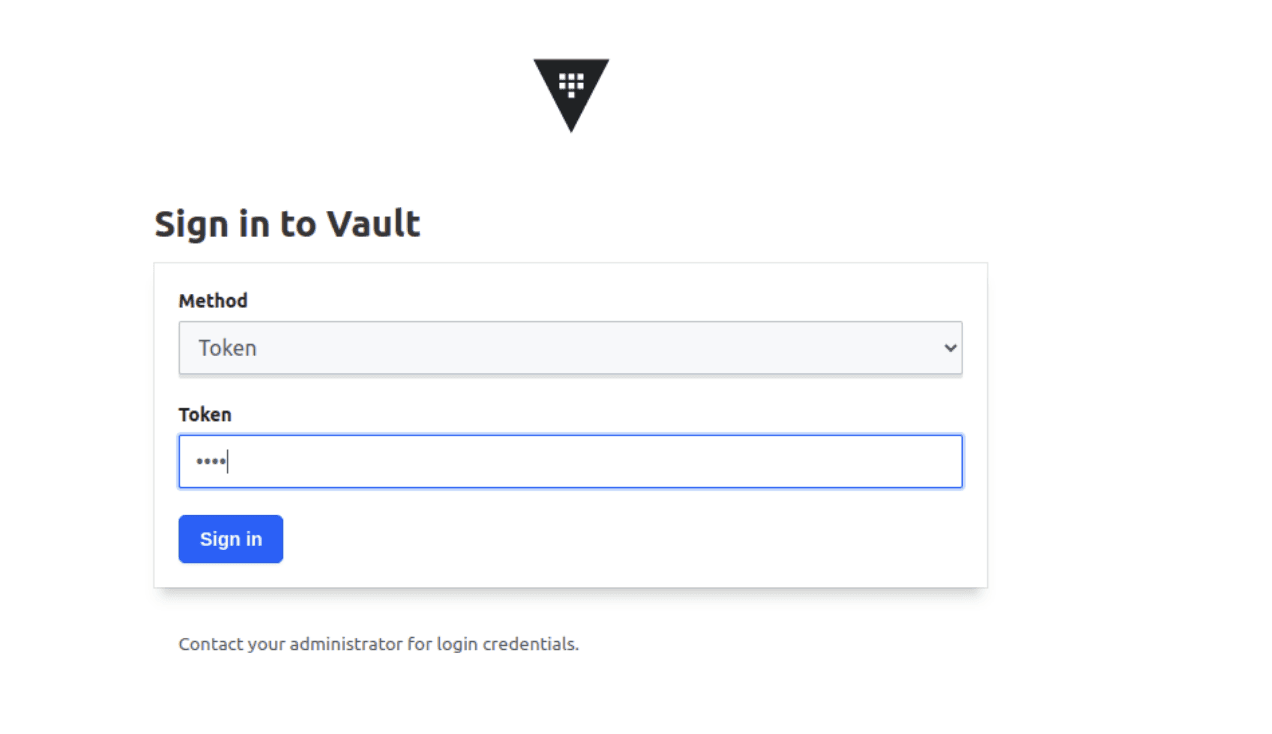
Create a secret by accessing: Secret Engine -> secret - > Create Secret +
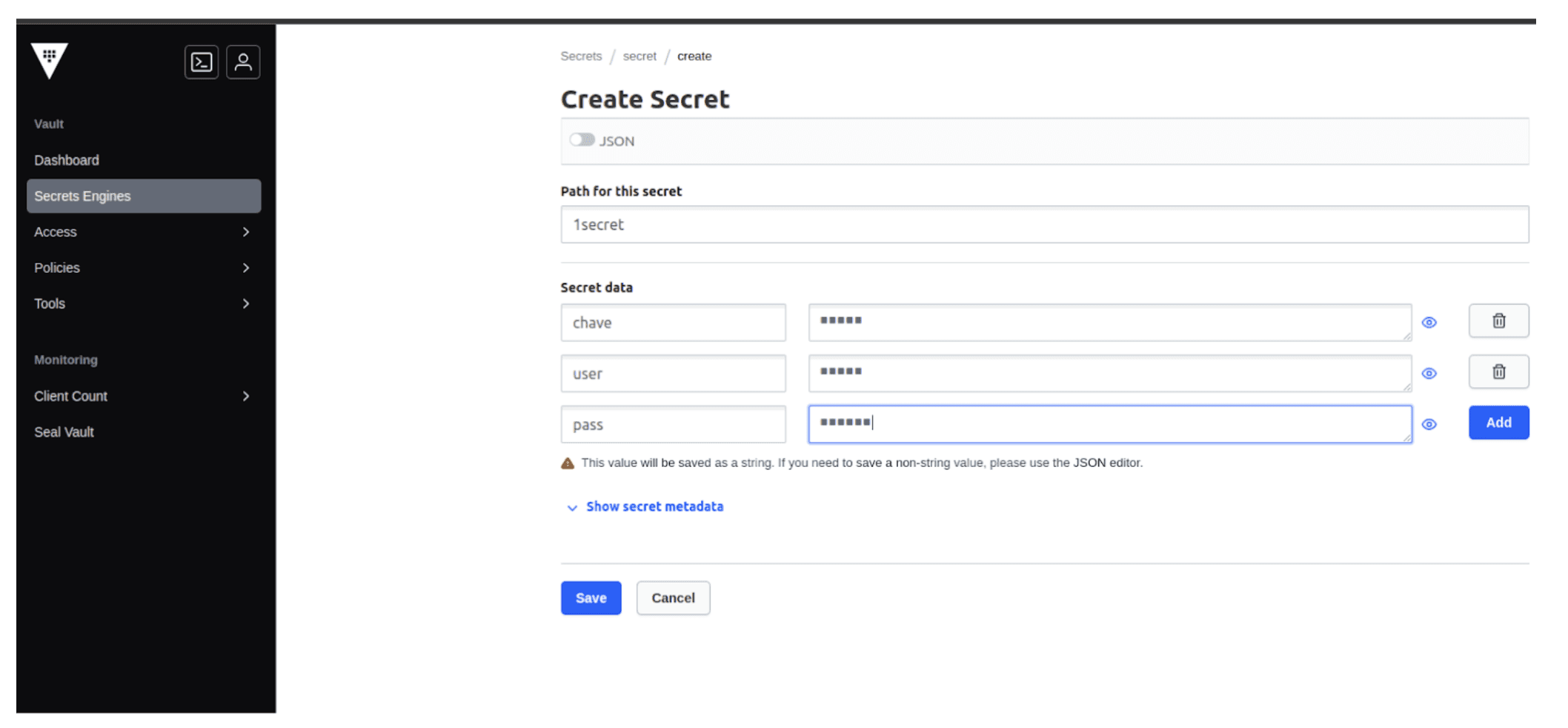
5. Inject the secret into our application's pods
This is the final part, where we use the secrets we registered in Vault.
Let's create a pod:
Check if the volume was created and the secret data is in there:
If the secret is changed in vault, some key added or removed, the pod that is using this secret has its values updated inside the pod, provided that the key reference is the same in the deployment annotations ;-)
External Secrets Operator
The Kubernetes External Secrets Operator is a solution that allows managing secrets in Kubernetes from external sources, such as AWS Secrets Manager, Google Secrets Manager and also HashiCorp Vault that we saw earlier.
Some highlights:
Custom Resource Definitions (CRDs): Uses CRDs to define and sync secrets from external sources with Kubernetes secrets.
Integration with Secrets Backends: Supports various secrets backends, allowing flexibility in choosing the secrets manager.
Automatic Update: Allows automatic update of secrets in Kubernetes when secrets in the backend are updated, ensuring that applications always use the latest credentials.
We even interviewed the 2 Brazilian maintainers of the project on Kubicast, watch it here.
So let's get to practice, starting with installing the External-Secrets Operator on your kubernetes:
If you need the external-secrets operator to communicate with the cloud provider through workload identity (gcp or azure) or role (aws) then follow the steps for each cloud providing the proper annotations for the installation serviceaccount, in this case we will use GCP.
At this point, it is necessary to create the SecretStore or ClusterSecretStore, which indicates your cloud provider and how the operator will access the provided secrets. In this example, I will use GCP/SecretManager. Here I assume it will be a ClusterSecretStore, as it can serve secrets in any namespace. You can have multiple ClusterSecretStores and if you want to create an exclusive source for a namespace, then create a SecretStore for that same namespace and secrets can be provided from that other source as well.
With this in hand, we create the ExternalSecret, which is nothing more than calling GCP's SecretManager using the parameters of our ClusterSecretStore and indicating the namespace and name of the secret that will be created in kubernetes:
In this example, we will fetch all GCP secrets that have the tag “external-secrets=true” and populate them into a single kubernetes secret in namespace app1, in secret secret-gcp-example. All data contained in the GCP secret will be copied in this operation.
Every time some secret is changed in GCP, the external-secret operator will update the secret inside the Kubernetes cluster and eventually inside the file in the pod. Your application is responsible for rereading this file.
In addition to labels, external-secrets can fetch them by name, version, and even using a JSON filter inside the secret. The structure of the secret inside SecretsManager can be a JSON and external-secrets can fetch a specific key-value within the JSON.
If you want, the external-secrets operator can still fetch secrets in a Vault external to the cluster, following the documentation: https://external-secrets.io/latest/provider/hashicorp-vault/
Conclusion
Sensitive data needs to be treated securely. By following these tips you can create an environment less susceptible to leaks, easier to manage and respond to incidents. Consider making these practices requirements in your projects, making them an indispensable part of your daily routine.
Newsletter Getup.
Atualizações sobre Kubernetes e Software Supply Chain Security todos os meses.
Operating Kubernetes in production for more than 13 years. With Quor, this experience extends to software supply chain security as well.
GET UP
© Getup · 2026